AgentMeter is built in the open.
If the project is useful or interesting, give it a star on GitHub.
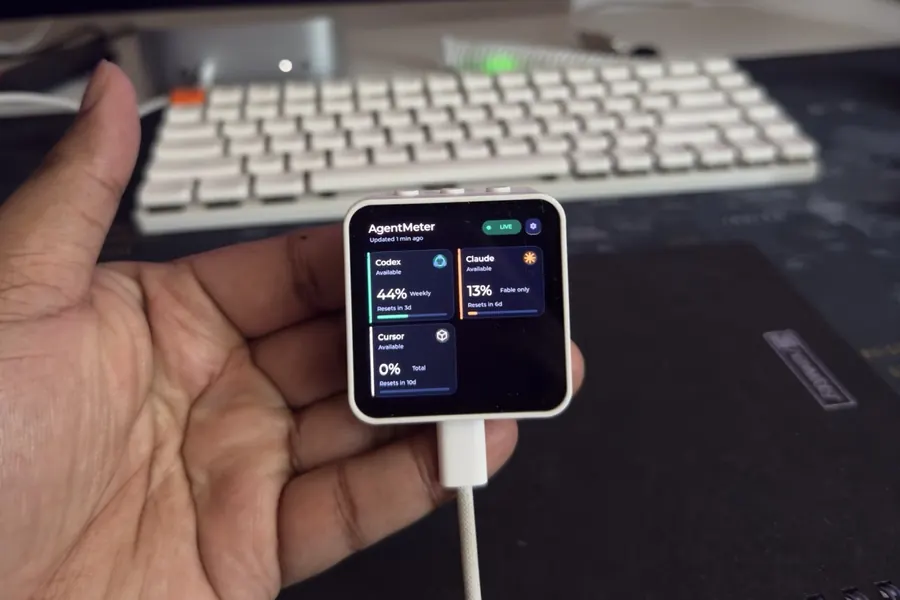
When I am in the middle of coding, I do not want to open another application just to check how much of an AI tool I have used. The information is there, but it usually lives in a menu, a status bar, a terminal command, or an account page. I wanted it next to my keyboard, where one glance would be enough.
That small annoyance led to AgentMeter.
I use several AI coding tools almost every day: Codex from OpenAI, Claude from Anthropic, Gemini from Google, and Cursor. They each measure usage differently, with their own limits and reset times. AgentMeter collects those local usage readings on my Mac and puts them on a 2.16-inch touchscreen on my desk.
The result looks simple. Underneath it is an ESP32 firmware project, a Python bridge, and a native macOS app joined by an encrypted Bluetooth LE protocol. I did not set out to build all of that. I started with a screen and a question: could this information live outside the computer?
Finding the idea
I came across Clawdmeter, an open-source project that put Claude usage on an ESP32 display. The Adafruit write-up made the hardware idea easy to understand. I was already using CodexBar, which reads usage from several coding agents locally and shows it in the macOS menu bar.
The combination caught my attention immediately. CodexBar already knew how to find the numbers. Clawdmeter showed that an inexpensive ESP32 could give those numbers a physical home. I wanted to see whether I could support all the tools I use and make the display configurable from the Mac.
I started looking for a suitable board on Amazon Germany and found the Waveshare ESP32-S3-Touch-AMOLED-2.16 for EUR 39.35. That is not nothing for an experiment, but the board already had Bluetooth, Wi-Fi, a speaker, capacitive touch, USB-C, power management, buttons, and an enclosure. Inside were 8 MB of PSRAM and 16 MB of flash. The 2.16-inch AMOLED had a 480 by 480 resolution, which looked large enough for a desk display without taking over the desk.
So I ordered it.
There was no roadmap or carefully prepared product plan. I wanted to find out whether the idea worked. Sometimes that is enough reason to start building.
The integrated board also kept the first build tidy. I did not need a custom PCB, a breadboard, jumper wires, a separate radio module, or a cloud account. One data-capable USB-C cable could flash the firmware, carry serial diagnostics, and power the unit.
It was convenient, but not generic. The display controller, touch controller, PSRAM mode, and pin map had to match this exact Waveshare model. A generic ESP32-S3 profile can compile successfully while leaving the external memory unavailable. The firmware then has nowhere to put its graphics buffers.
The two-day prototype
CodexBar made the first version practical. I wrote a small background service that started automatically, collected the relevant dashboard data, reduced it to what the display needed, and sent it to the ESP32 over Bluetooth. The screen sat beside my keyboard and showed the state of the tools I was using.
It worked. That first version came together in roughly two days.
It also made the missing pieces obvious. I wanted to choose which assistants appeared without rebuilding the firmware. I wanted control over brightness, screen rotation, alerts, and an always-on mode. The ESP32 also needed to report its own connection and hardware state to the Mac. A one-way Bluetooth message was enough for the prototype, but it was not enough for daily use.
Bluetooth headphones gave me a useful model. The headphones work as hardware on their own, while a companion application identifies the device, exposes its settings, and reports its state. AgentMeter needed a similar relationship between the ESP32 and the Mac.
The background service grew into a proper macOS companion. It discovers and identifies the display, manages the supporting services, keeps settings in sync, and communicates with the device in both directions. The Mac can change the display configuration, and the display can send status and setting changes back.
Something else happened during that work. The menu-bar interface became useful even when the physical display was disconnected. I can click AgentMeter on the Mac and inspect each coding tool directly. The application is no longer only a control panel for the ESP32. It has a job of its own.
AI coding assistants helped me explore unfamiliar hardware and implement the software much faster. They did not decide what AgentMeter should become. I still had to understand how the pieces fit together, test the behavior, and judge whether each result made sense. That gap between generating code and building a dependable object was where most of the interesting work happened.
How it works
AgentMeter now has three parts with deliberately separate responsibilities.
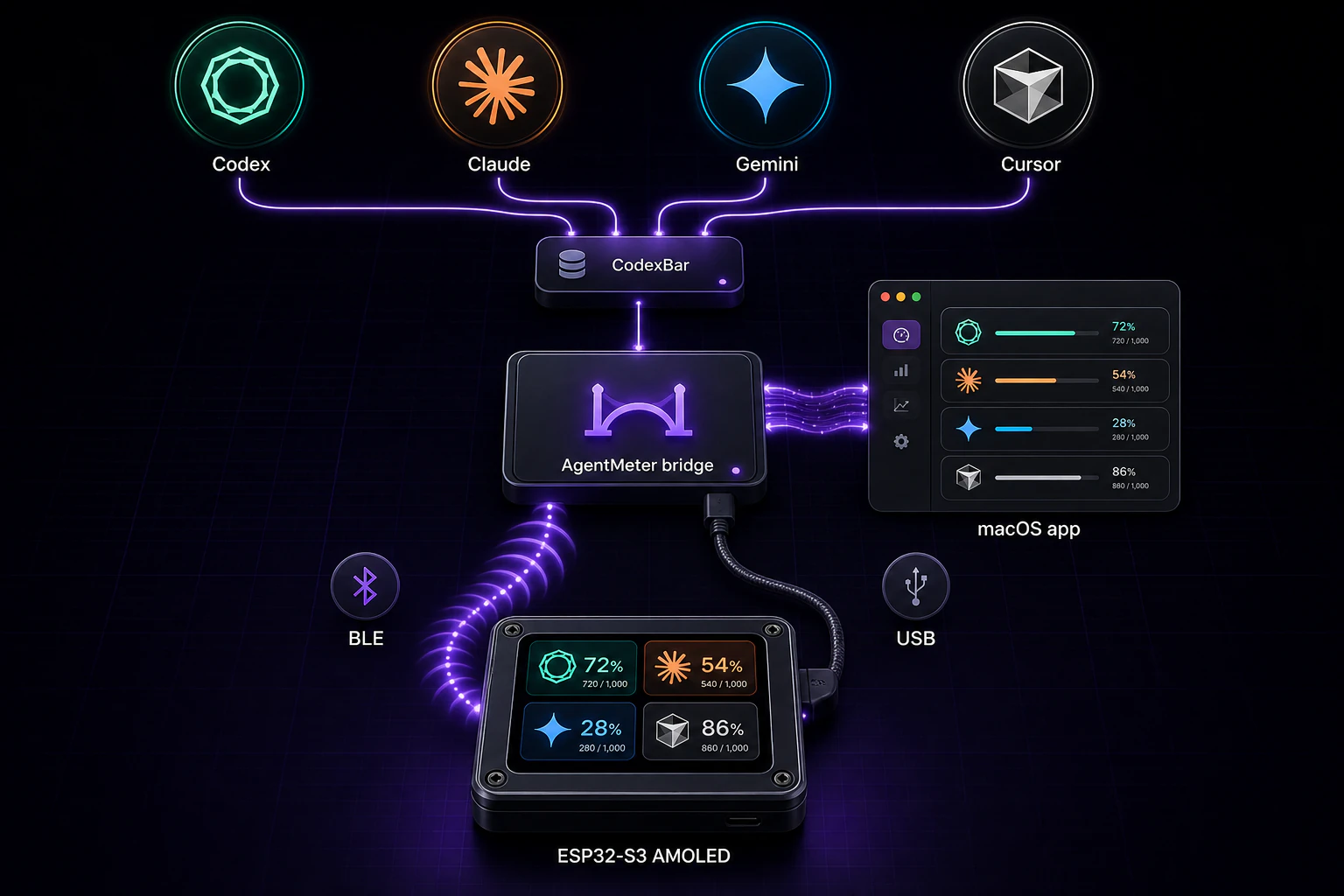
Figure 1: Provider usage stays on the Mac, passes through the local bridge, and reaches the ESP32 display over encrypted BLE or USB.
The Mac handles provider authentication, collection, normalization, local history, and the single Bluetooth connection. The ESP32 handles presentation, touch navigation, countdowns, alerts, and persistent display preferences. The native app reaches the bridge through a private Unix socket, so opening the app does not create a second collector or compete for another BLE session.
This separation keeps credentials away from the hobby hardware. It also keeps the firmware neutral about providers. I can add another data source on the Mac without designing another screen protocol for it.
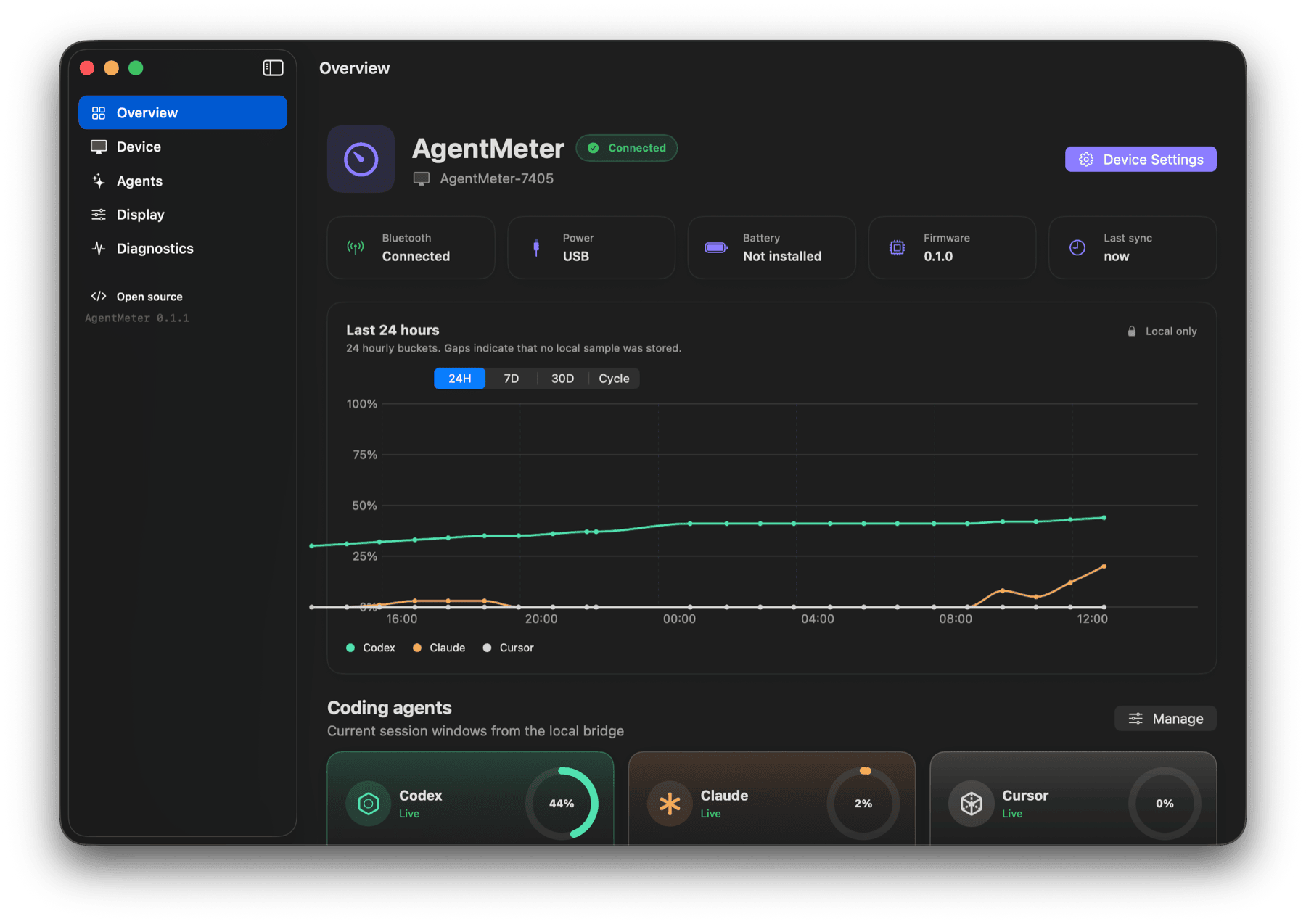
Figure 2: The macOS overview joins live device state, local usage history, and current provider windows.
Reading usage without keeping helpers alive
CodexBar supplies the local dashboard data, but AgentMeter does not leave its provider helpers running all day. When a collection is due, the bridge starts a short-lived CodexBar server on the loopback interface. It creates a temporary 256-bit bearer token, fetches one versioned dashboard document, validates it, and stops the supervised process.
Claude needs special care here. A background process may not have the same access to browser cookies as an interactive application, so the collector can fall back to the Claude CLI. AgentMeter runs that passive check in safe mode. It can read authentication and usage without loading the user’s hooks, plugins, MCP servers, project instructions, or skills. It does not interfere with normal Claude sessions.
Usage sources are not perfectly reliable. A provider may return a valid value, then omit it on the next refresh. Treating the missing value as zero would be wrong. Keeping an old value and calling it live would also be wrong. The bridge can retain a recent valid window for up to one hour, but it marks that window as delayed. Both the device and the Mac distinguish live, stale, unavailable, reconnecting, and error states.
The document sent to the device is capped at 4096 bytes. It includes provider names, quota labels, percentages, reset timestamps, display preferences, and short event IDs. It does not include credentials, account identifiers, email addresses, prompts, source code, file paths, repository names, raw provider responses, costs, or billing details.
Why Bluetooth took longer than expected
Sending one JSON document over BLE was straightforward. Keeping that path reliable through sleep, wake, device resets, forgotten bonds, and incomplete writes was not.
The firmware advertises a private GATT service with a name such as
AgentMeter-7405. Its snapshot, status, settings, and telemetry characteristics
require an encrypted, bonded connection. Large documents travel as ordered
frames. The ESP32 reassembles them outside the BLE callback, rejects missing or
oversized fragments, and validates the candidate model. Only then does it send
an ACK. The host retries the full message up to three times and reconnects after
a link error.
That ACK is more important than it sounds. A successful characteristic write only confirms that bytes reached the Bluetooth stack. It does not confirm that the ESP32 received every fragment or accepted the finished JSON document.
USB serial accepts the same newline-delimited snapshot format. I used it to test the data model and user interface before Bluetooth pairing was stable. It remains useful for recovery and diagnosis, but it is not a separate operating mode.
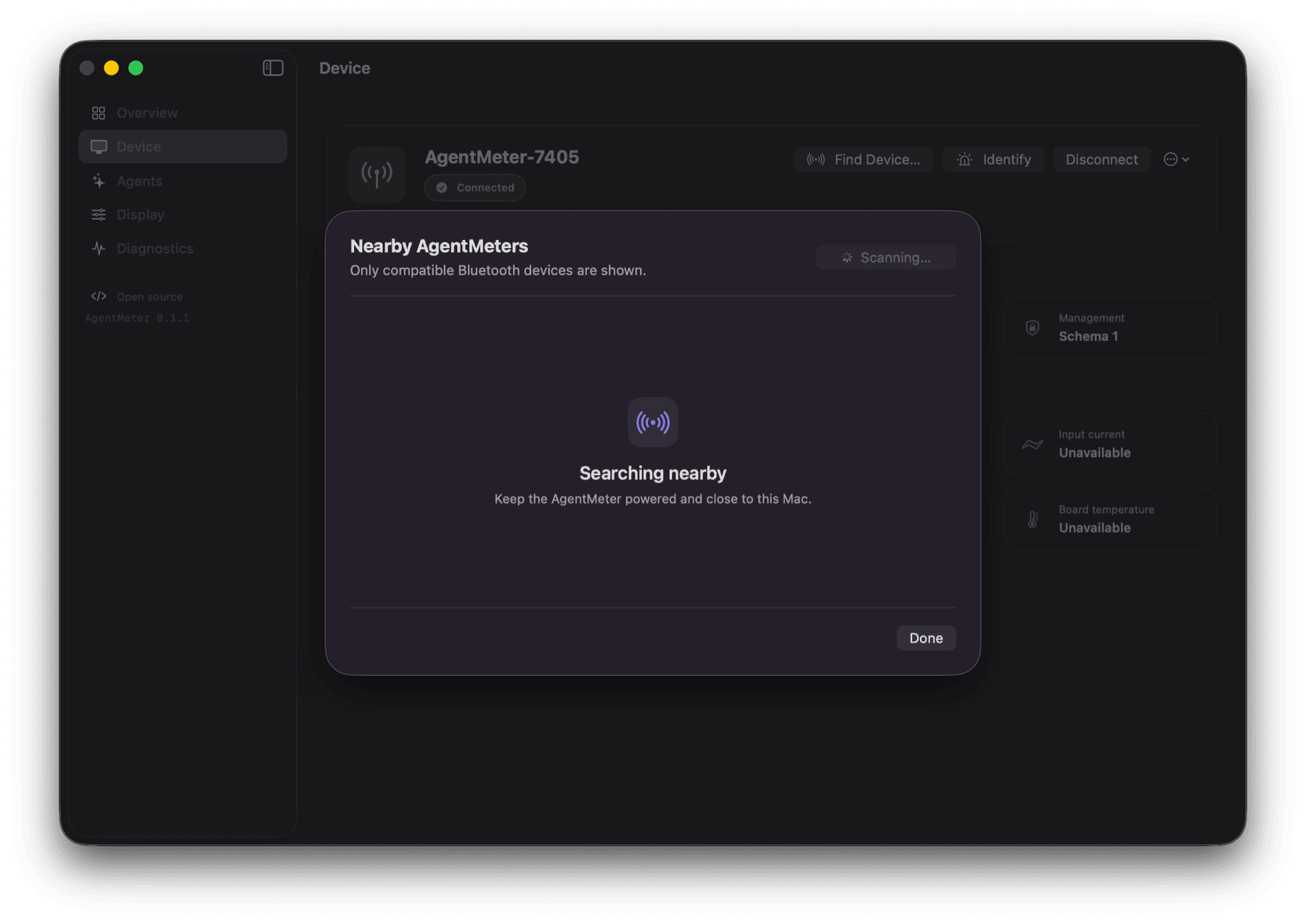
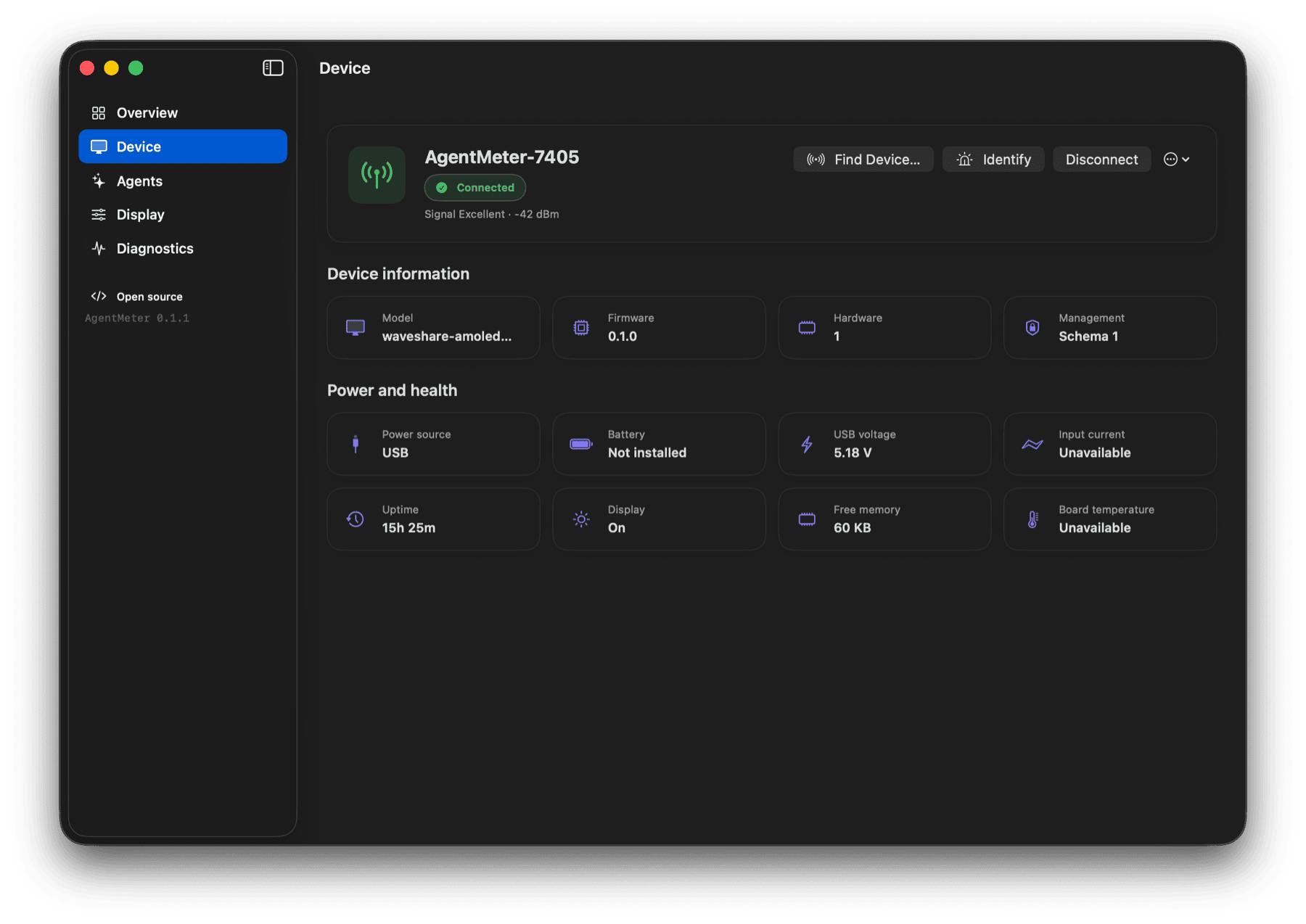
That honesty matters for power data. The AXP2101 power controller can confirm USB presence and VBUS voltage. It can also report battery information when a battery is attached. The interface used here cannot provide a trustworthy current-consumption reading, so AgentMeter shows “Unavailable.” It does not present a configured current limit as if it were a measurement.
Fitting the interface onto 480 by 480 pixels
The screen is small enough that every layout decision is visible. AgentMeter can show one to eight providers, and the overview changes its grid to suit the number selected. A single provider gets a focused card. Two or three get more space. Four use a two by two grid, while larger sets remain scrollable.
Each provider has a mark and accent color. A card shows its most relevant quota window, percentage, reset countdown, and data state. Touching the card opens the windows that provider reports. Claude, for example, may have a current session, weekly usage, and model-specific limits with different reset schedules. Codex, Gemini, Cursor, and future providers use the same data model instead of separate hard-coded pages.
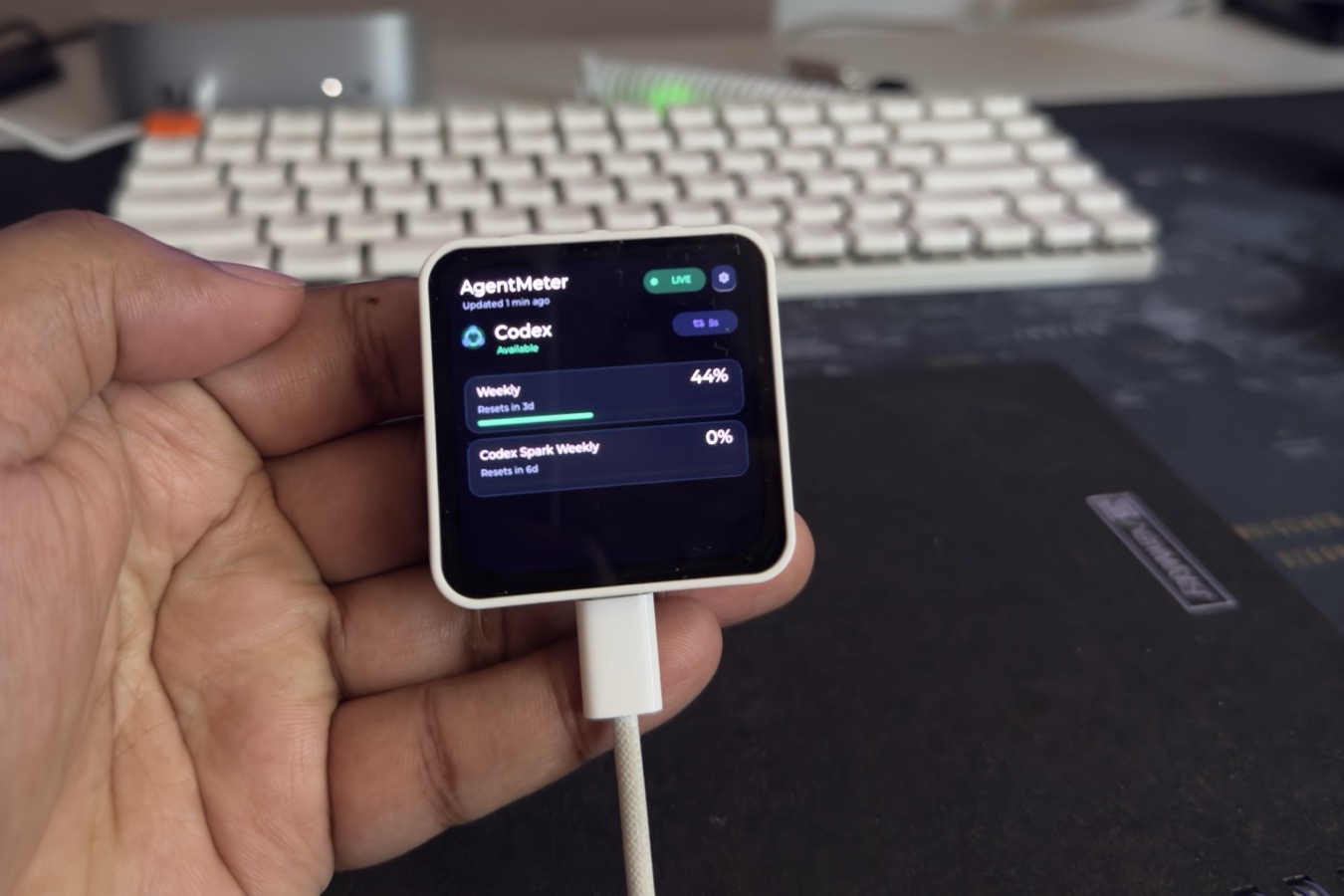
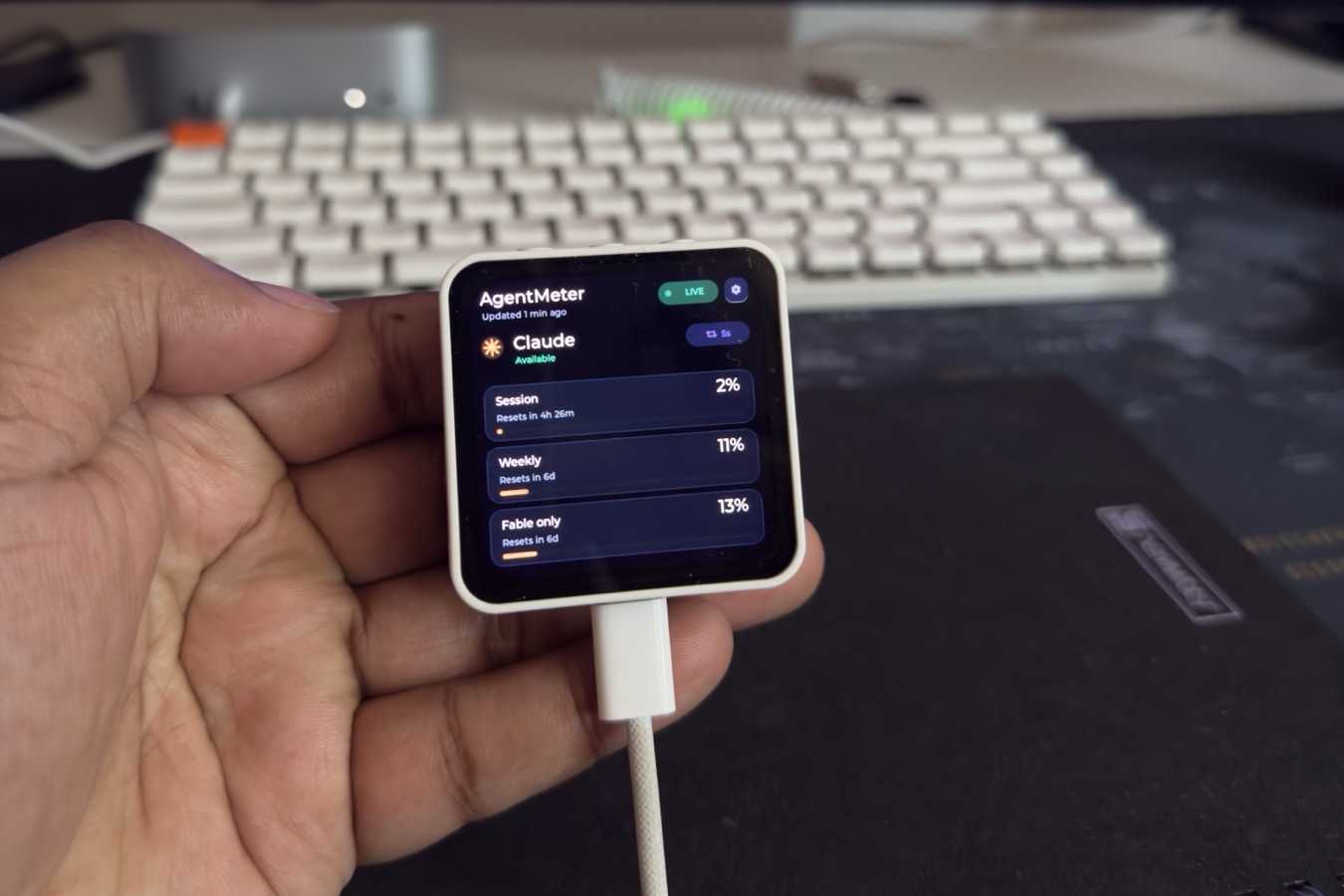
The device advances its own countdowns between Mac updates. There is no reason to send a Bluetooth message every second just to make a timer move. When usage crosses a configured warning or critical threshold, the firmware can wake the screen and show one deduplicated alert instead of repeating the same warning at every refresh.
AMOLED behavior influenced the defaults too. Brightness starts at a moderate level, the display can dim or turn off after inactivity, and the content moves by one pixel over time. An always-on option is available when the device stays powered on a desk, but it is a choice rather than the default.
Keeping settings in sync
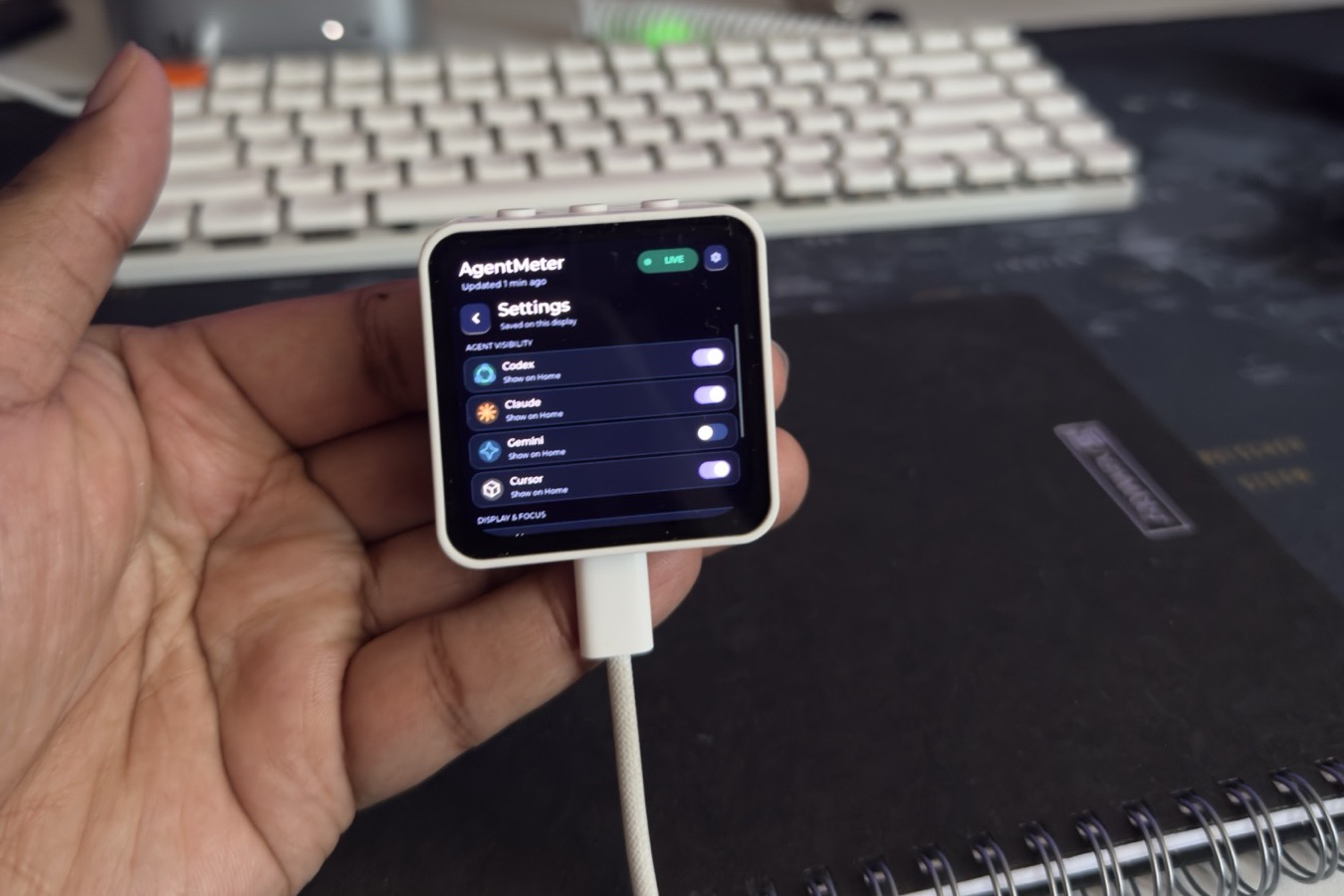
The prototype treated the ESP32 as a passive screen. Touch controls changed that. If I hid a provider on the display while the Mac still showed it as visible, one side had to win. The same problem appeared when the Mac changed a setting while the device was offline.
Both sides now share one revisioned settings model. A setting changed on the device travels back to the bridge. A desktop change travels as a small patch, and the firmware acknowledges it. If the patch carries an old revision, the receiver rejects it instead of quietly overwriting the newer choice. The Mac updates only the control that changed, so a toggle does not reload the entire settings panel.
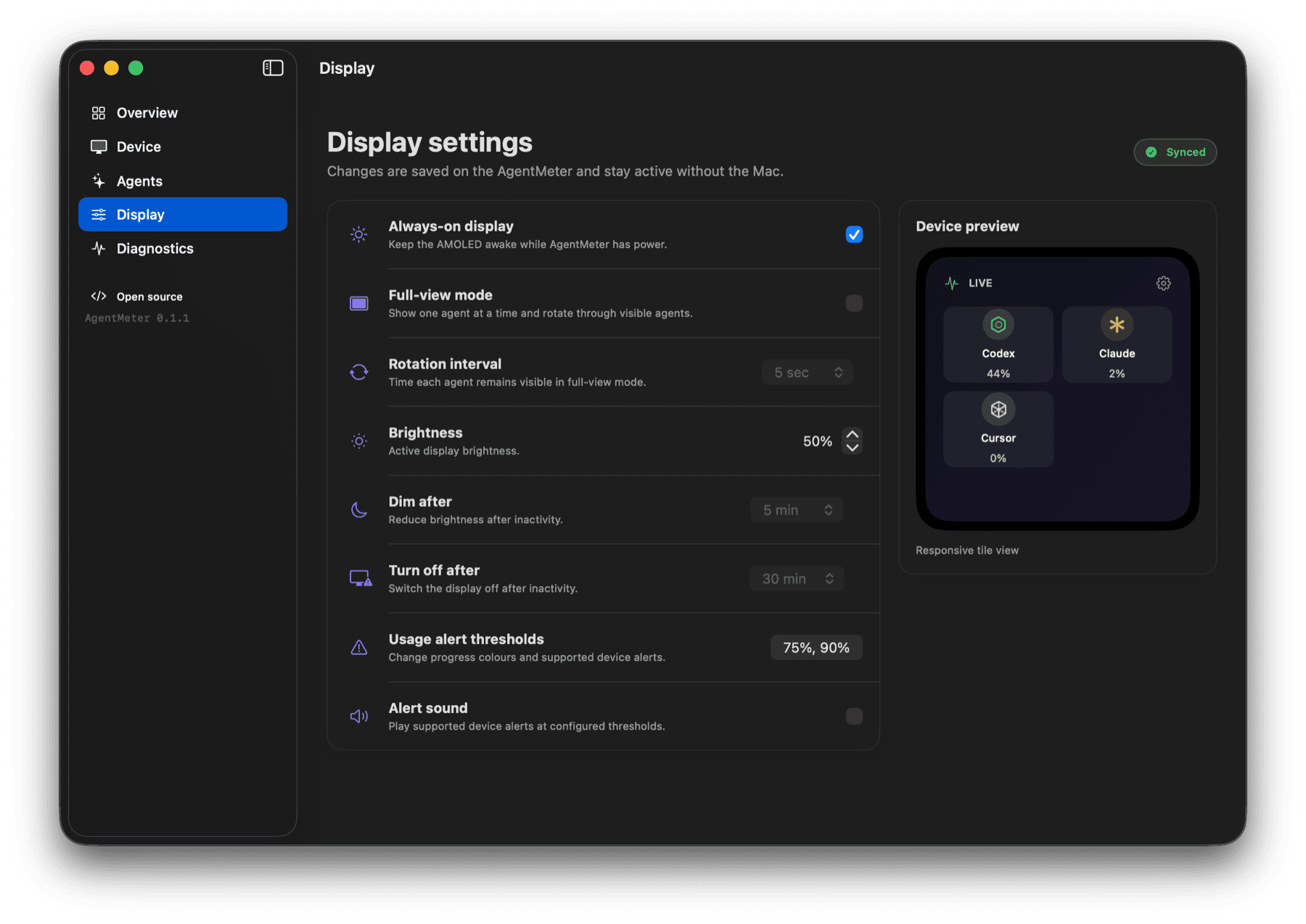
When the companion app became useful by itself
The original Python LaunchAgent did its job, but it was invisible. I had no friendly way to tell whether the bridge was healthy, understand a Bluetooth disconnect, select a display, or change the screen from the Mac.
The replacement is a native Swift 6 and SwiftUI application with no third-party Swift dependencies. It handles device discovery, signal and power telemetry, provider visibility and order, synchronized display controls, local usage history, and sanitized diagnostics.
The history database keeps bounded, downsampled percentages for 30 days. The app can show the last 24 hours, 7 days, 30 days, or the current usage cycle. If the bridge was offline, the chart leaves a gap instead of inventing points.
The app follows the system appearance and also supports explicit light and dark themes. Closing the main window removes its Dock icon, while the menu-bar item and background synchronization keep running. The process stops only when the user chooses Quit AgentMeter from the menu bar.
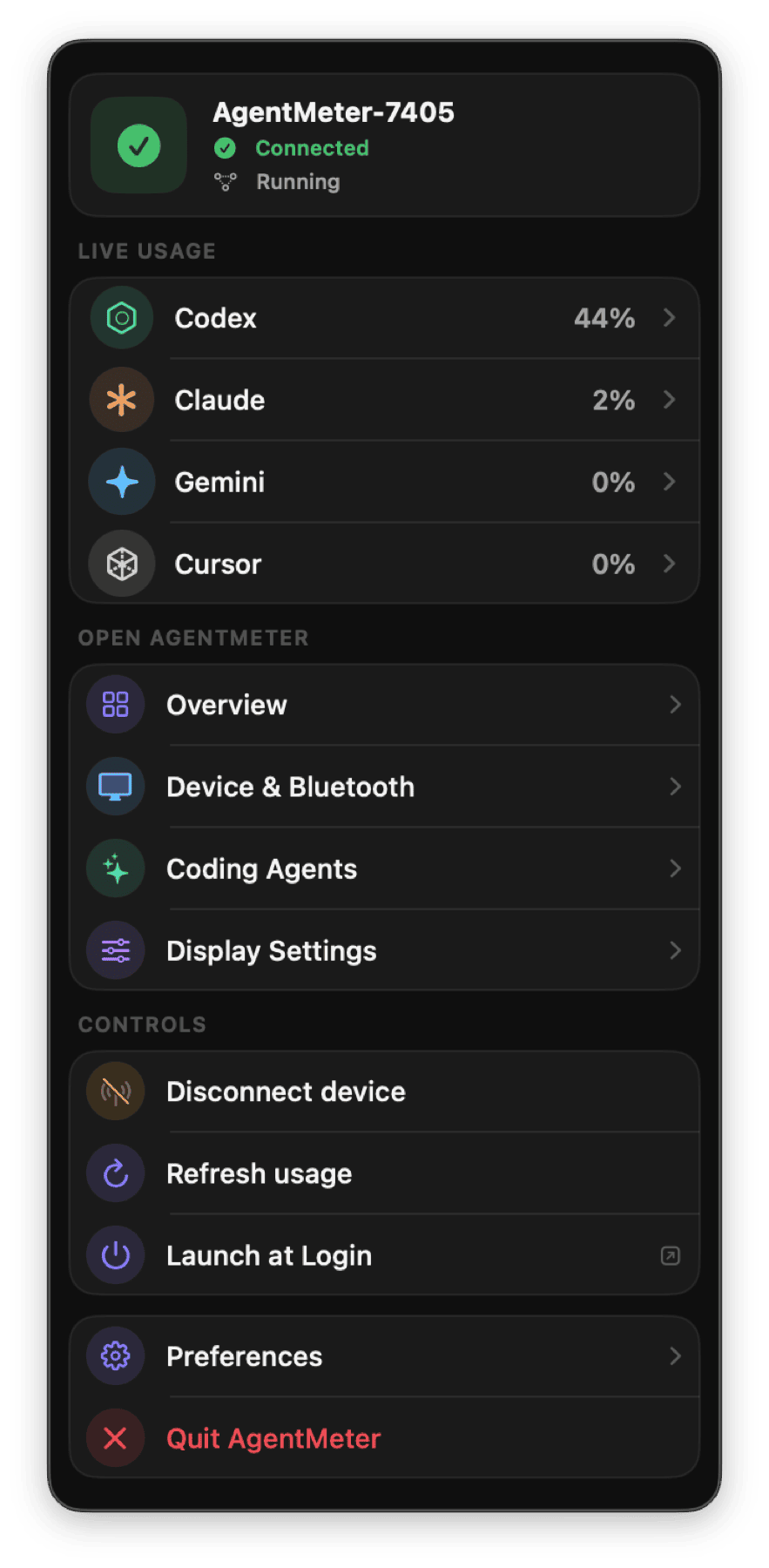
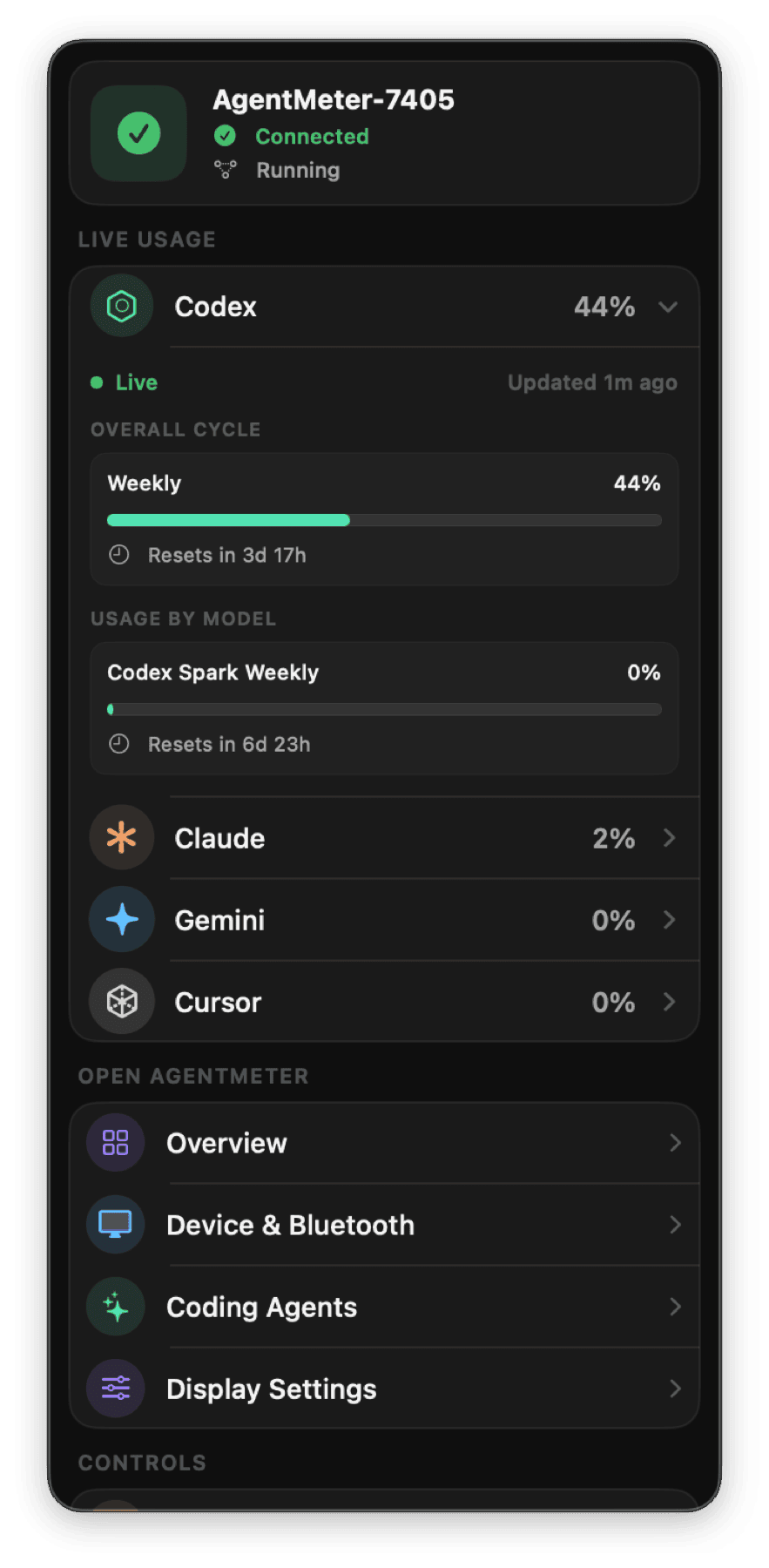
I spent more time on that small panel than I expected. It has to expand when a provider reveals more detail without collapsing into a thin strip. Its scroll area must work in a narrow width without a heavy native scrollbar. These sound like minor concerns until the main window closes and the panel becomes the part of AgentMeter I use most often.
Widgets, and letting the display go
The next request surprised me: people wanted AgentMeter without the device. They liked the desktop companion as a usage monitor on its own and asked for two things — usage on the desktop itself, and a way to turn the Bluetooth side off completely.
Widgets came first. The macOS build now ships two WidgetKit families. Focus follows one agent: a large number at the small size, and a usage ring with labelled progress bars for every remaining window from medium up. Dashboard covers all agents at once — compact rows, a ring-per-agent board, provider rows with history, and at the largest size a grid of agent cards beside a 24-hour trend drawn from the bridge’s retained five-minute samples.
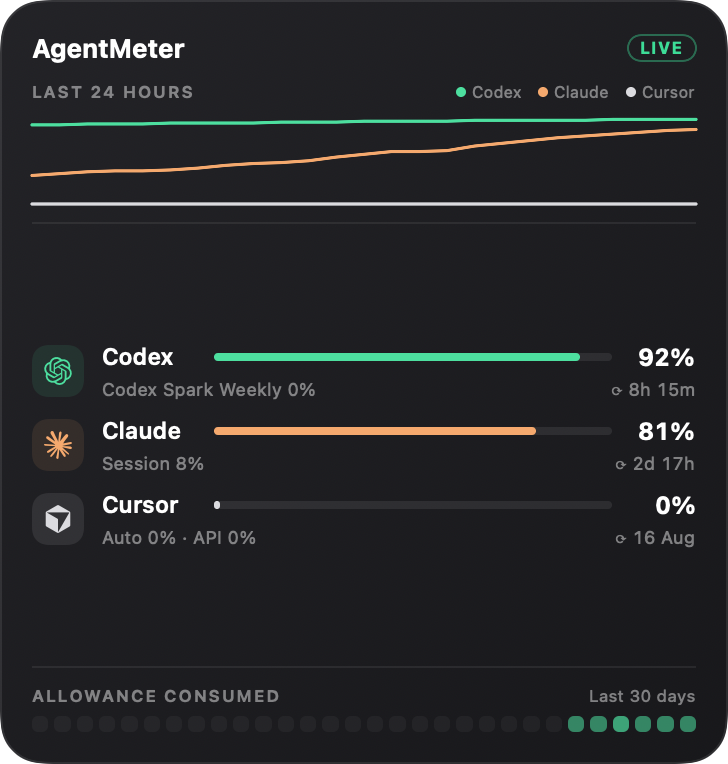
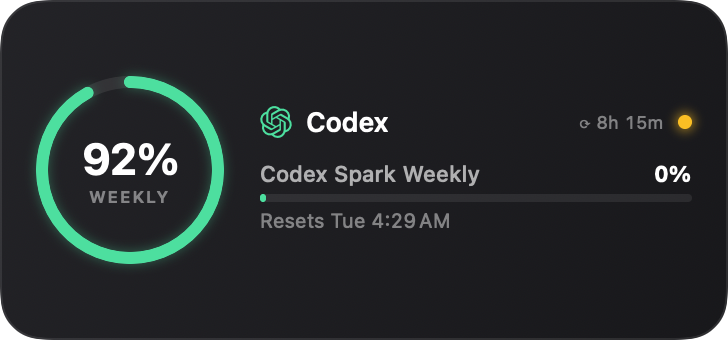
The same honesty rules carried over. Reset times read the way people say them — “Resets in 2 hr 5 min”, “Resets Mon 6:00 PM” — an unknown percentage renders as “Not reported” rather than a zero, and a passed reset says “Refresh pending” until fresh data arrives. The widget extension is fully sandboxed: it reads one bounded JSON snapshot from the shared App Group container and has no Bluetooth, network, or credential access at all.
Standalone mode answered the second request. One switch in the app’s new Settings section turns off device synchronization entirely: the bridge disconnects the display, stops all Bluetooth work, and rejects device commands until it is re-enabled, while collection, charts, the menu bar, and widgets keep working. The paired display simply shows its data as stale, which is the truth.
Keeping a desk utility quiet
Putting a number on a display sounds simple. Making the complete system behave well in the background is not. A usage meter that wastes CPU, fills storage, or leaves provider processes running would be a bad trade.
The bridge collects only when needed and releases CodexBar and its helpers between intervals. Every message and history table has a bound. The Swift app subscribes to state changes instead of polling, and one process owns the BLE connection. On the device, the firmware builds fixed-size candidate models and uses two graphics buffers in external PSRAM. It swaps a model into view only after the full update passes validation.
Diagnostics follow the same approach. Logs rotate, the app receives sanitized events, and hardware values are stored only when the board can measure them. The page shows enough connection history to diagnose the bridge without turning AgentMeter into an observability system.
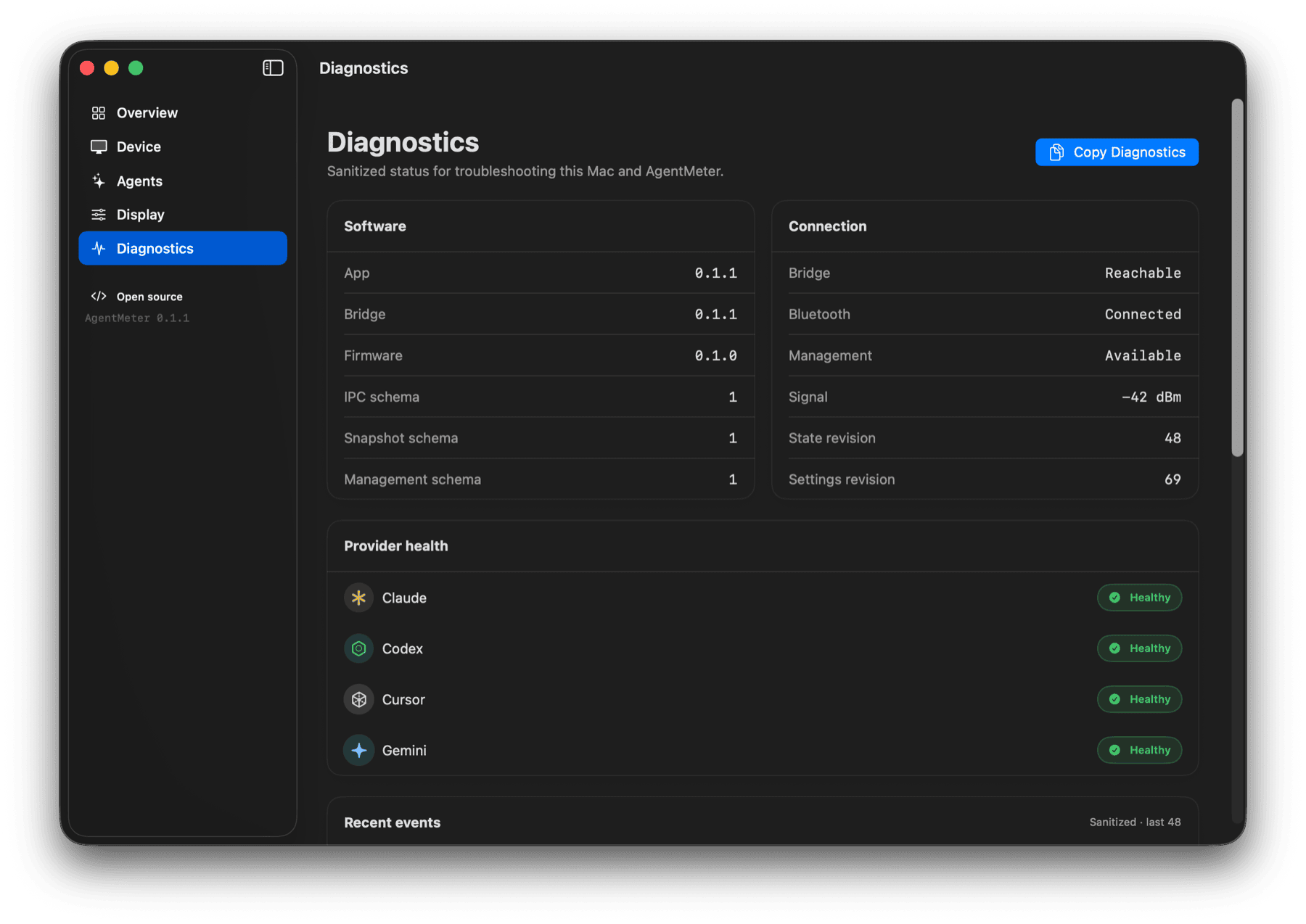
Figure 13: Diagnostics expose enough context to debug the bridge while keeping provider data and credentials out.
Building and testing it in layers
I made each boundary usable before adding the next one. The first layer was the repository structure, JSON schema, synthetic fixtures, and a command-line host snapshot. Then I brought up the exact Waveshare board profile, display, touch, and USB serial rendering. Once the data model stopped moving, I added BLE fragmentation and ACK handling. The firmware interface, service management, native app, two-way settings, and release packaging followed.
Most states do not require signed-in provider accounts or physical hardware. The host tests use fake CodexBar processes and fake transport backends. The Swift application has a deterministic fake bridge for connected, disconnected, pairing, unavailable-provider, legacy-device, and settings-conflict scenarios. Native firmware tests cover parsing, reassembly, ACK encoding, rollover-safe time calculations, and interface formatting before I flash the ESP32.
The first physical unit also completed a 30-minute animated-display soak test. It produced 46,800 display flushes at an average of 527 microseconds. Free heap remained stable, with no reset, watchdog, or firmware error. That test cannot tell me whether touch feels right, the AMOLED colors look good, the enclosure gets warm, or the layout is readable at arm’s length. I still check those by hand.
Building your own
The supported first build needs four things:
- Waveshare ESP32-S3-Touch-AMOLED-2.16, the ESP32-S3 2.16-inch model
- A data-capable USB-C cable
- A Bluetooth-capable Apple-silicon Mac running macOS 14 or later
- CodexBar configured for the providers you use
Where to get the hardware
AgentMeter targets the exact Waveshare ESP32-S3-Touch-AMOLED-2.16 board. Closely related Waveshare displays use different controllers and pin maps, so confirm the listing names the ESP32-S3 2.16-inch model before ordering.
Direct, non-affiliate links. Prabhava Labs does not earn from purchases.
The AgentMeter repository contains the firmware, Python bridge, native macOS app, versioned schemas, safe fixtures, hardware guide, protocol documentation, and complete setup instructions. The community DMG is ad-hoc signed because this independent project does not use a paid Apple Developer account. On first launch, macOS requires the Gatekeeper approval described in the setup guide.
AgentMeter still has rough edges. I want to add a small adjustable stand, make the provider adapter boundary easier to extend, and support hosts beyond macOS. Other ESP32 displays may follow, but I would rather document each board as I bring it up than claim compatibility based on screen size alone.
The project is open source under the MIT License. You can download it, use it, study the implementation, or adapt it for your own setup. If you try it, a short report about something confusing, broken, or unexpectedly useful will help me decide what to work on next.
AgentMeter is built in the open by Nipun Theekshana under Prabhava Labs.
AgentMeter is built in the open.
If the project is useful or interesting, give it a star on GitHub.