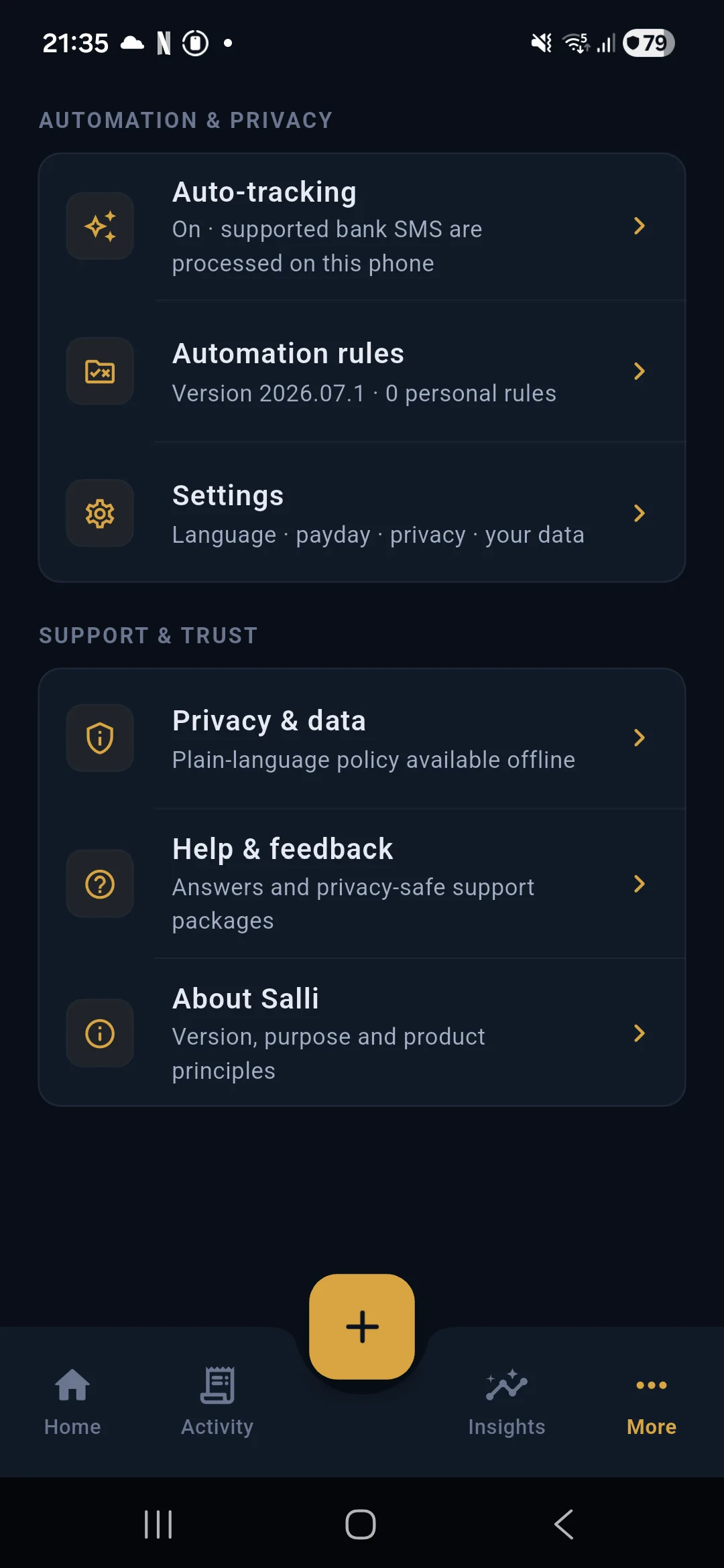
Automatic tracking is useful only when it remains understandable. Salli shows the controls, keeps every new item in review, and lets you inspect the original message before confirming anything.
Turn on automatic tracking
Open More, scroll to Automation and privacy, then choose Auto-tracking. Grant SMS permission when Android asks for it. The status should read that supported bank SMS are processed on the phone.
The initial inbox import looks at a limited recent window. After that, a new standard SMS is handled when it arrives. Salli does not run a permanent background service.
What happens to a message
The message passes through several checks:
- The sender must be supported or explicitly trusted for beta testing.
- Safety filters block OTPs, promotions, declined attempts, pending authorisations, and balance-only messages.
- Known bank templates try to extract a precise transaction.
- If no template matches, the bundled local classifier checks whether the wording still describes a transaction.
- Amount, currency, date, account suffix, and other financial evidence are extracted directly from the message.
- An accepted item appears in the review queue.
The classifier never replaces a missing amount with a guess.
Use Trusted test senders carefully
Trusted test senders are a beta tool. They allow an exact telephone number to act as a test source when a real bank transaction is inconvenient.
Add the number in international format where possible, including the country code. A trusted number does not bypass safety. The message still needs valid transaction wording and deterministic evidence. OTPs, failed payments, and malformed messages remain blocked.
One trusted number can test formats from different institutions. Salli identifies the format from the body where possible.
Remove test numbers before a wider public release if they are no longer needed.
Normal SMS and RCS are different
An iPhone or another Android phone may send an RCS chat message when chat features are active. It can look like an ordinary message in the inbox, with typing indicators and read status, but Android does not deliver it to an SMS broadcast receiver.
If a test message never appears:
- check whether the conversation says Chat or RCS
- choose the messaging app’s Send as SMS option
- temporarily disable chat features for that conversation
- confirm that Salli still has SMS permission
- confirm that Auto-tracking is on
The SMS Lab under developer or beta tools is useful for testing the parser with pasted text, but it does not test Android delivery.
Review the proposed transaction
When a message is accepted, Home shows an item to review. The proposal includes the amount, merchant, suggested category, and matched account. Open it before confirming.
You can edit:
- amount and direction
- category
- merchant
- account
- date and time
- notes and labels
The original SMS remains available from the message icon on the transaction card. Use it as the source of truth.
If the suggested category is correct, confirm it. If it is wrong, edit the category first. A correction for an exact merchant can be saved as a local rule, so future transactions from that merchant use your choice.
Match an account
Bank messages generally expose only the last three or four digits of an account or card. Salli compares that suffix with accounts stored on the phone.
If the suffix matches, the account is selected in the review. If it does not, Salli surfaces an account suggestion. Open Accounts, choose Add account, and enter the full number if you have it. The full value stays encrypted locally. Only the final digits are used for SMS matching.
Account types include savings, current or checking, credit card, debit card, cash, wallet, and other. Correct account types make reports easier to read.
Deleting an account keeps its transactions. They move to Cash so history is not orphaned.
Handle foreign-currency alerts
For USD and other supported three-letter currencies, Salli requests a dated reference rate to LKR. Only the currency code and date leave the device. SMS content, account information, merchant, and amount are not sent.
The review shows the original currency and conversion details. A recent cached rate can be used when offline and is labelled as cached. If no trustworthy rate is available, the transaction stays unresolved for manual review rather than using the foreign amount as rupees.
Ignore messages without hiding mistakes
Ignore removes the current review item. Always ignore creates a local rule for similar messages. Use the permanent option for recurring non-transaction alerts, not for a parser mistake that should be corrected.
Automation rules can be exported as a privacy-safe JSON package. Imports are explicit, and nothing is synchronised automatically.
Troubleshooting checklist
If a normal SMS arrives but Salli stays quiet:
- Open Android Settings and confirm SMS and notification permissions.
- Check Auto-tracking in More.
- Confirm the sender is supported or is an exact trusted test number.
- Make sure the message is not RCS.
- Paste the body into SMS Lab. A blocked reason explains safety rejections.
- Check Automation rules for an ignore rule.
- Open Help and feedback to export a privacy-safe support package.
Do not share an unredacted SMS publicly. Remove account numbers, telephone numbers, balances, reference numbers, and personally identifying text first.
Continue with Planning, accounts, recurring payments, and insights.